REAL APP / ANDROID WALKTHROUGH
Meet Spenza.
Already built for Android.
Spenza is publicly available for Android. Track spending, manage budgets and understand everyday money in Malaysia. This walkthrough demonstrates the real Flutter application using illustrative sample data captured during development.
Publicly available for Android · Direct APK download
- 0100:00
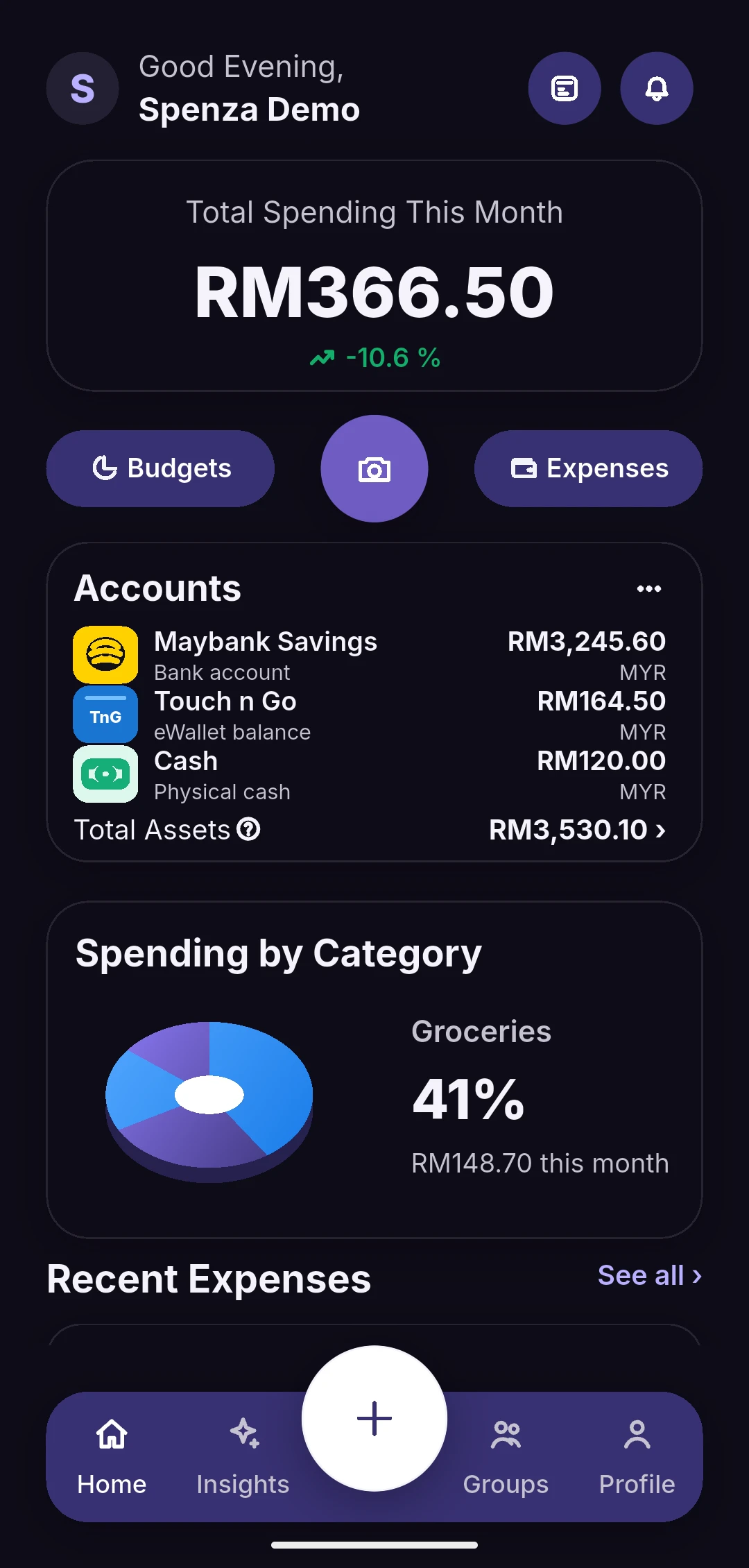
Home & accounts
A monthly spending overview, manually tracked account balances and spending by category.
- 0200:18
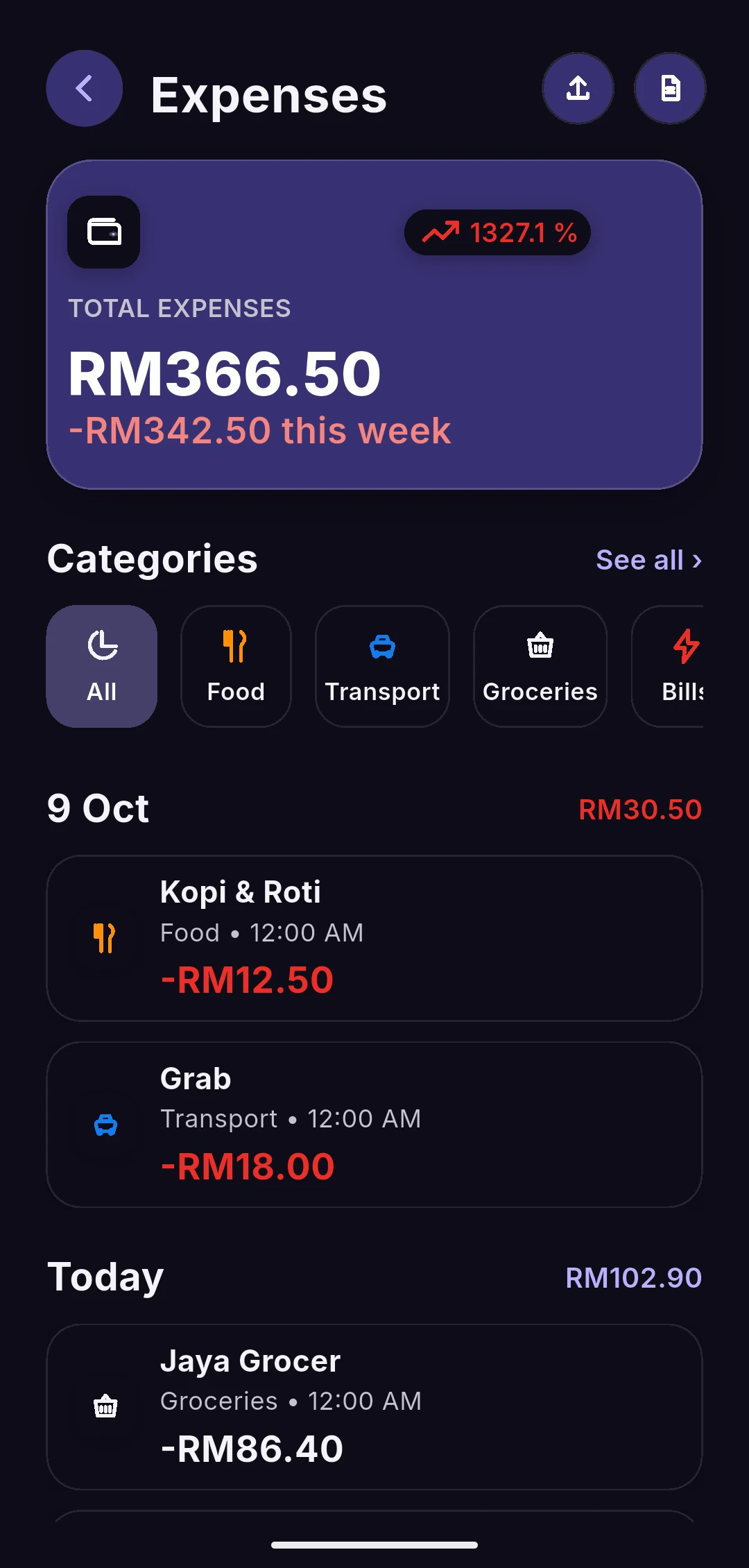
Expenses & filters
Real transaction rows and category filtering, using Malaysian merchants and MYR amounts.
- 0300:38
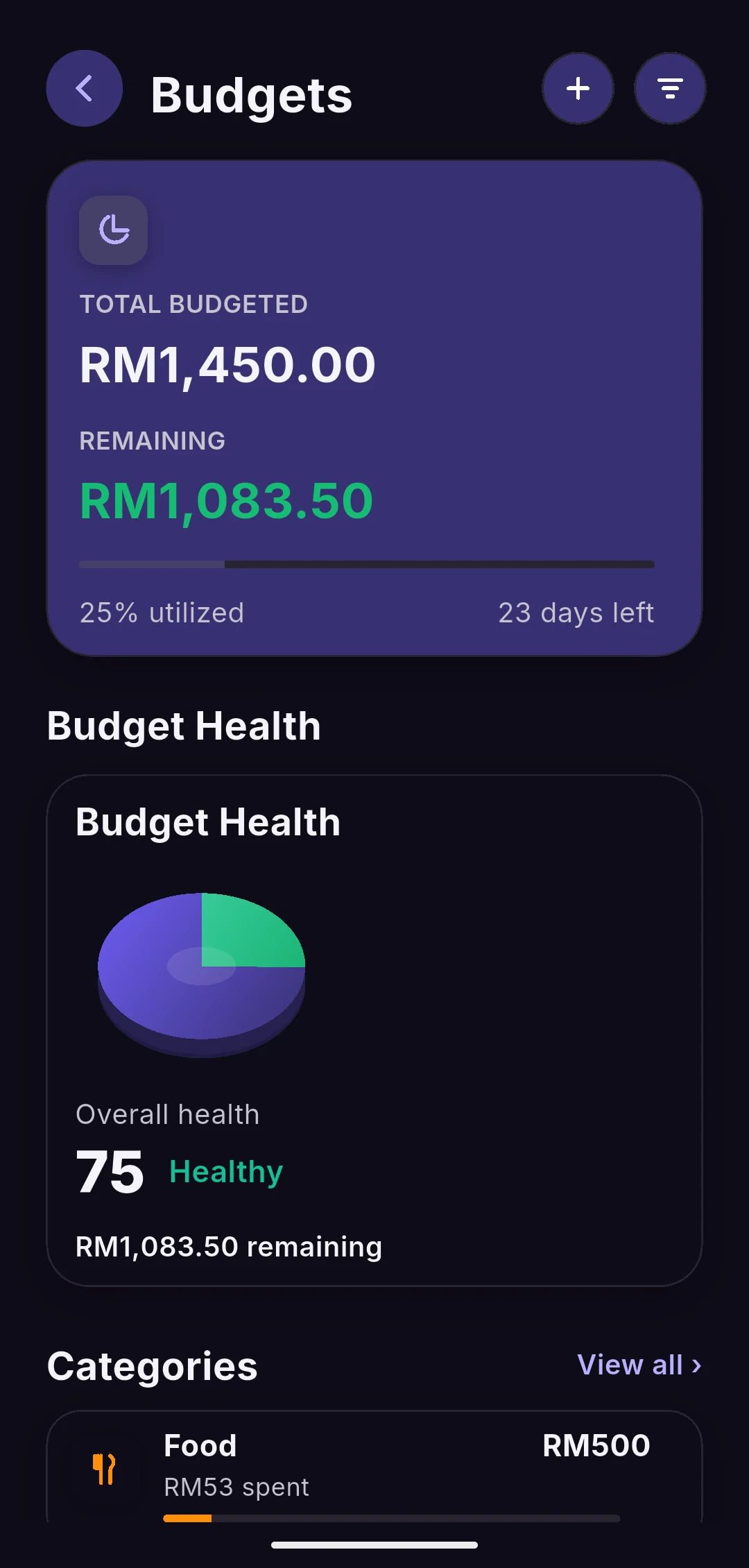
Category budgets
Budget limits, spending progress and remaining amounts calculated from the same sample transactions.
- 0400:56
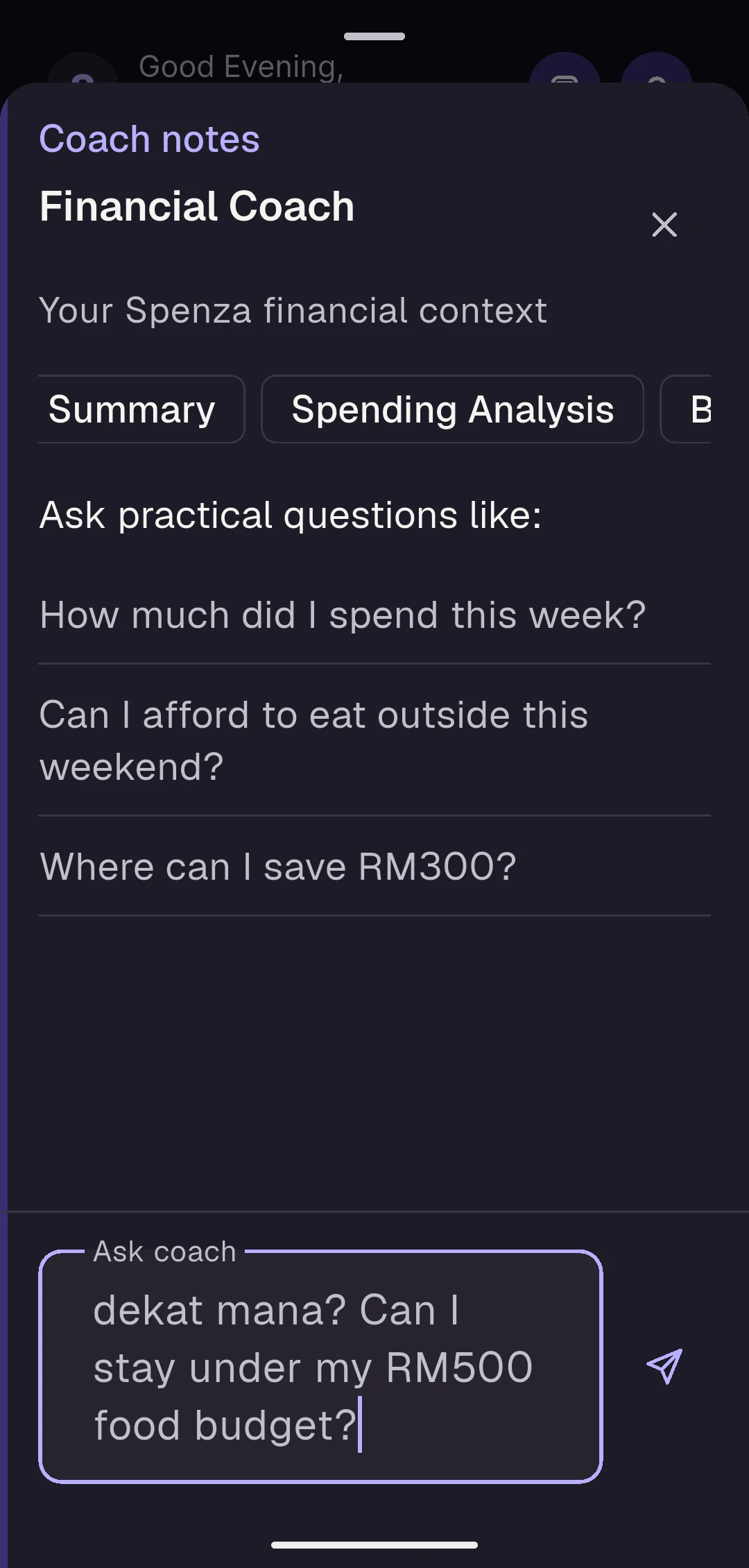
Financial Coach UI
The actual Coach interface, conversation composer and Android keyboard with a mixed Malay-English question. No AI answer is shown.
FROM THE RECORDING
The app, up close.
Still frames from the same Android walkthrough.
PRODUCT STATUS
Built. Still getting better.
Spenza is a real Flutter Android application developed by Ahmad Zulhilmi, its solo founder and developer. Development began in June 2026, with a focus on Malaysian users and MYR spending. The released app is available as a direct APK download from the official website. Development continues; Google Play and iOS distribution are not available.
This walkthrough uses local sample accounts and transactions, not a signed-in customer account. It demonstrates the app’s interface, category filtering and budget calculations; it does not demonstrate bank connectivity, cloud sync, receipt extraction or a live AI response.
Claude support is implemented server-side but is not yet active in production. The Coach segment shows the interface and a typed question only. Existing Gemini and GPT roles remain described in our Privacy Policy.
Walkthrough transcript
The following describes a silent, continuous recording of Spenza running as a Flutter Android development build on an emulator. All financial data is illustrative and stored locally for this capture.
- 00:00 — Home & accounts. A monthly spending overview, manually tracked account balances and spending by category.
- 00:18 — Expenses & filters. Real transaction rows and category filtering, using Malaysian merchants and MYR amounts.
- 00:38 — Category budgets. Budget limits, spending progress and remaining amounts calculated from the same sample transactions.
- 00:56 — Financial Coach UI. The actual Coach interface, conversation composer and Android keyboard with a mixed Malay-English question. No AI answer is shown.
The recording ends without submitting the Coach question. No generated answer, active AI provider, authenticated backend session or public store release is represented.
SPENZA FOR ANDROID
Your everyday money. Made clear.
Available for Android. Download directly from the official Spenza website.